Transactions
Last updated: September 25, 2025
What are transactions?
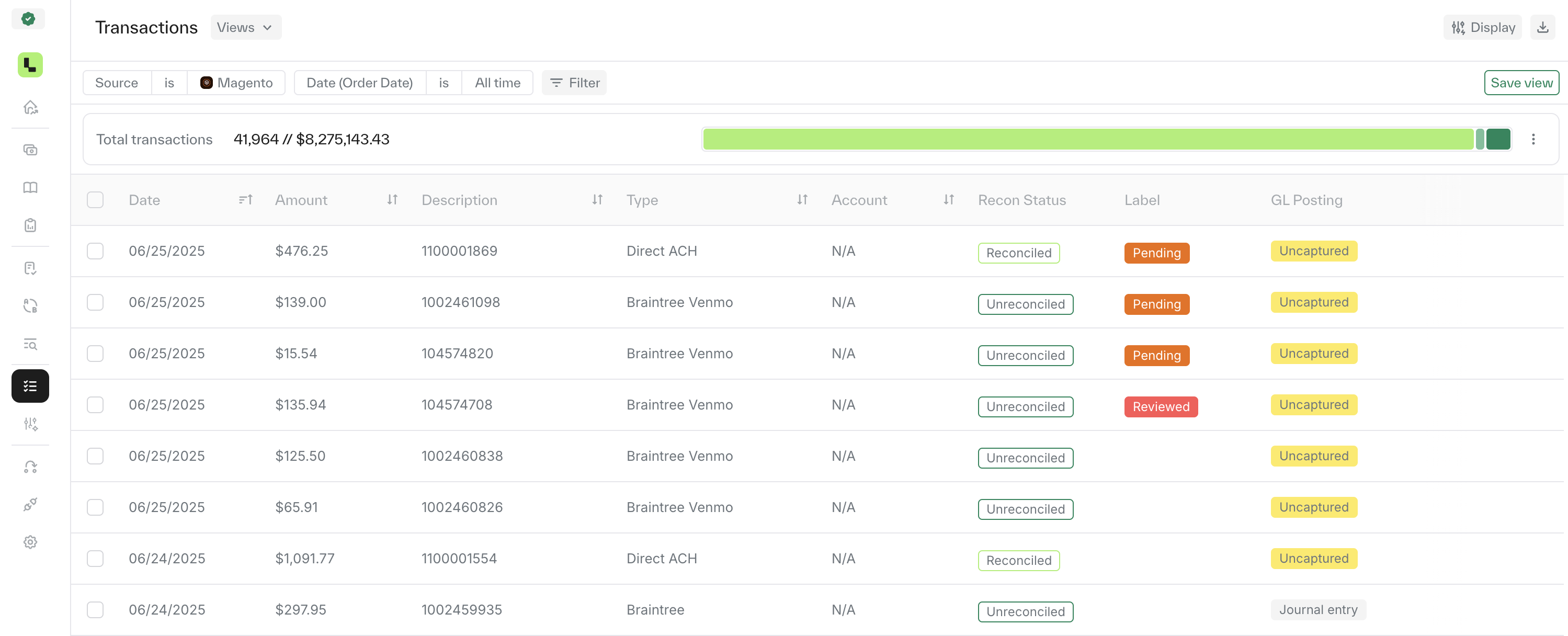
The transactions represent the data that flows into Ledge from the different sources that were added to your account. The transaction page can be find in the side bar on the left under the data section. Each transaction contains the relevant data and can be configured based on your business needs.
Browse, search and filter
The transactions page is highly flexible, allowing you to customize the way you view and analyze your data.
Browse & filter options - Above the transaction page on the left, you can apply filters to narrow down results by any source or column available in your transaction data.
Reconciliation bar - Located at the top right, this bar displays the current reconciliation status of the source you are viewing, helping you understand your current status.
Display options - On the far right, click the 'Display' button to choose which columns to show or hide, so you can tailor the table to your needs.