Reconciliation Rules
Last updated: September 25, 2025
Reconciliation rules let you add an additional layer of flexibility to how your data is presented. These rules override matching rules and payment flows, allowing you to mark transactions as Reconciled, Informative, or Out of Scope. You can find them in: Left bar → Flows & Rules → Reconciliation.
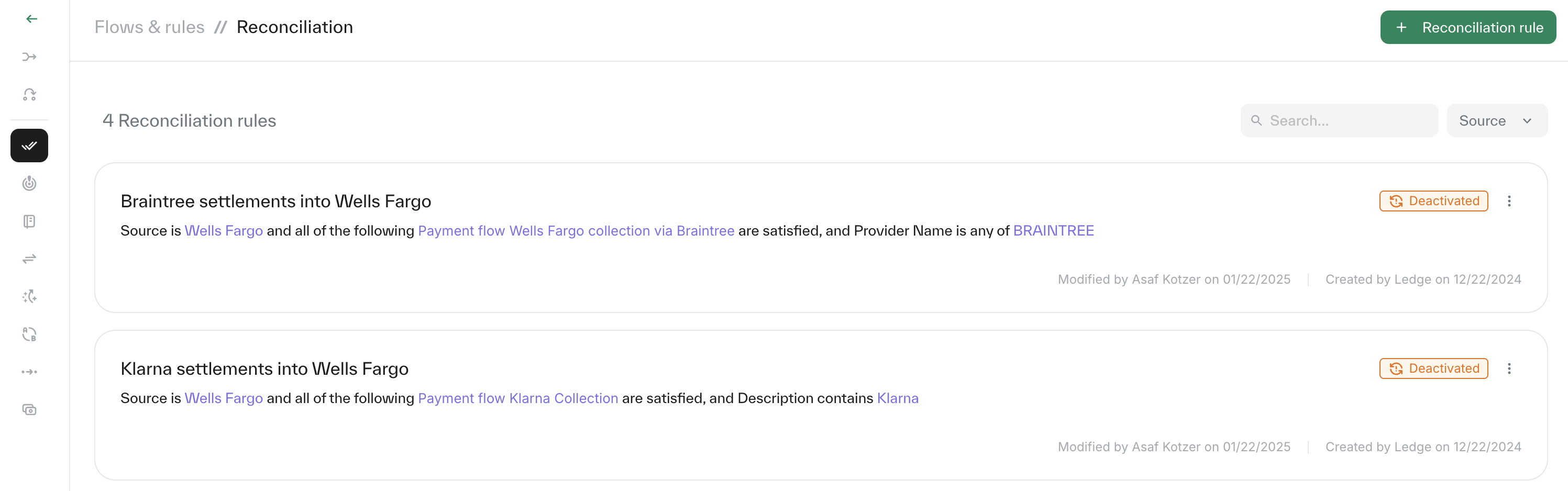
Rules types
Informative/ Out of scope - Changes the reconciliation status of the transaction and excludes it from source-level statistics.
Reconciled - Allows you to mark transactions as reconciled even if they wouldn’t normally be reconciled based on matching rules.
Creating a reconciliation rule
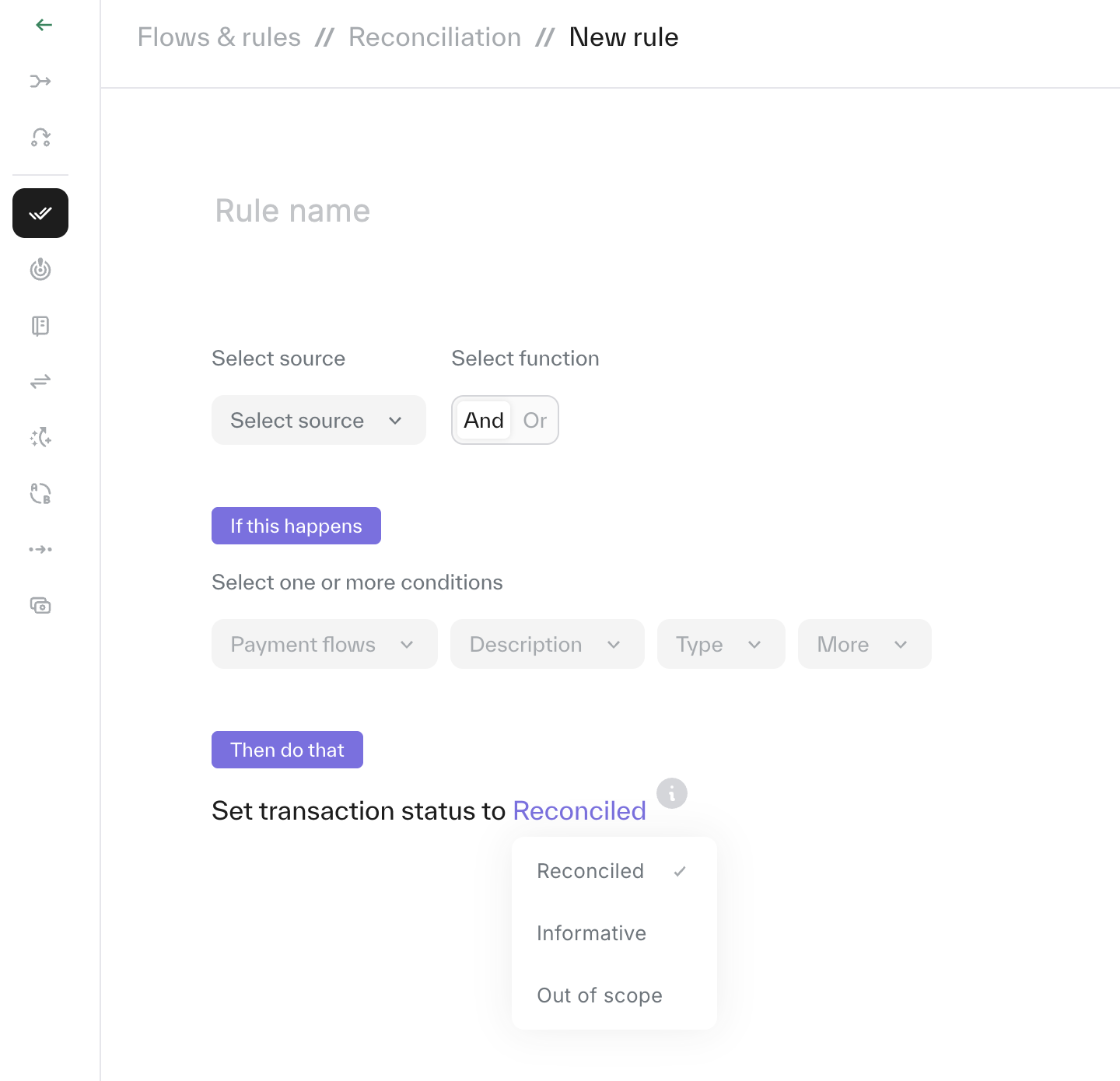
Click '+ Reconciliation rule' at the top right of the page.
Enter a clear name for your rule.
Select the source from the dropdown list.
Add the conditions within the relevant payment flow.
Define the reconciliation status that should apply based on the conditions you set.
Editing a reconciliation rule
Each rule can be edited at any time, simply open the payment flow and update the required fields.
Deactivating a matching rule:
Each rule can de 'deactivated' by clicking the 3 dots on the right of the reconciliation rule and choosing 'Deactivated'.
Please note: Changes will only apply to future matches and will not affect historical data.