Subledgers reconciliation
Last updated: September 29, 2025
Overview
With your bank data flowing regularly into Ledge, the platform enables you to compare opening, closing balances and variances across accounts at any cadence your business requires. This includes not only classic bank accounts but also special accounts such as FBOs. In addition, Ledge provides a flexible approval process so reconciliations can be reviewed and approved by the right stakeholders.
Where?
Go to the side bar -> Subledger reconciliation
How does it work?
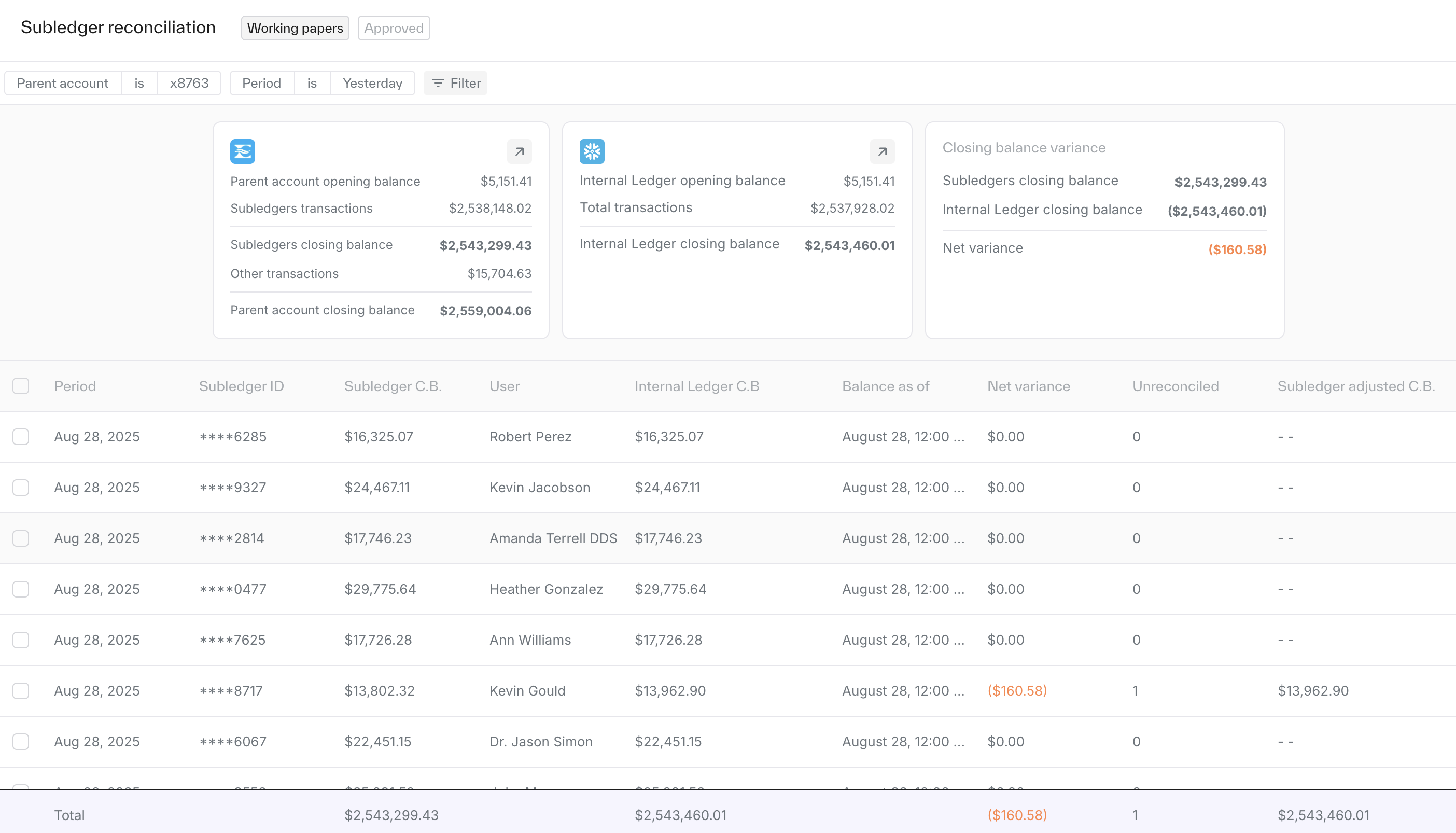
Reconciliations are presented as rows, each showing a comparison between two accounts and their variance.
Detailed view: Clicking on a row opens a breakdown of the balance, allowing you to see full amounts or drill down into the transactions that make up the balance.
Filters: Use the filter bar at the top of the page to refine by source, date, or other data columns.
Approval flows
Reconciliations can be configured to require approvals.
Approval flows are fully customizable, allowing you to define stakeholders and the number of approvers.
Approval flows can also be tailored to conditions, e.g. triggering additional approvals only if a variance is detected.
Artifact
Once reconciliations are approved, you can download a PDF report containing the official balances and a record of all approvers. This provides a clear audit artifact for both internal use and external auditors and can be found at the bottom of the page after approval flow is completed.
Approved balances
Completed reconciliations can be found under the 'Approved' tab above the filter bar. These serve as your historical archive of reconciled balances.
Setup
Contact your Customer Success Manager for the initial setup.